
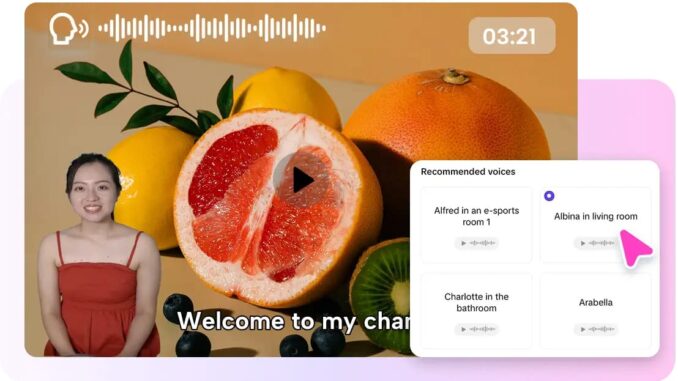

Curiosity must be alive, imagination should flow, and learning is more effective when it feels like playing. While a worksheet can teach kids facts, a fun cartoon character can transform those facts into an engaging lesson. This is one reason why creators, educators, and brands move towards interactive video lessons. In Pippit, you have the tools to create fun lessons with animated personalities that speak with the power of lip sync AI.
While static slides and narration may seem sufficient for some lessons, creators now have the means to incorporate lovable characters to educate about numbers, alphabets, science, reading, writing, and other aspects of everyday life.
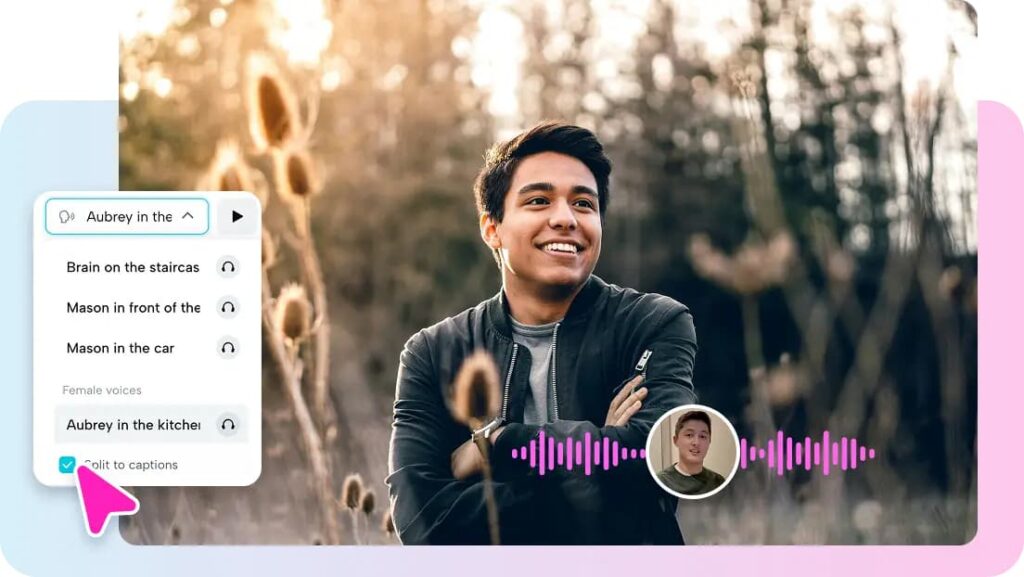 When learning becomes cartoonish, kids focus better
Learners, especially children, are likely to be distracted when content is dull. They may find it difficult to focus if they perceive lessons as boring.
Animated characters make the lessons more attractive because they add fun, liveliness, and a sense of connection.
Think of a cartoon dinosaur teaching counting,
A cartoon astronaut discussing planets,
An animated chef sharing information about healthy foods,
And an animated owl teaching spelling.
The lesson turns into an experience rather than a lecture. It is important for the following reason – children retain stories and their characters much better than simple facts.
Little viewers require lots of energy
Children’s content requires rhythm, expressiveness, and communication. Should the flow become slow, children lose interest instantly.
Lip-synced animation helps keep energy levels up via facial movement, voice synchronization, and visual stimulation. The child does not have to read subtitles or listen to a non-human voice, but interact with a live character instead.
This improves focus during:
-
Alphabet lessons
-
Number lessons
-
Vocabulary expansion
-
Stories and morals
-
Scientific basics
Should a character talk directly to them, children feel more involved.
One character, infinite classroom adventure possibilities
Coming up with new educational material can be difficult at times. It’s like teachers and other content creators must come up with something new each week, if not daily.
Reusable animated characters can be quite useful here. Just one mascot character can lead several different classes of topics each month.
For example, a cute little rabbit can be used for:
-
Math class on Mondays
-
Spelling games on Tuesdays
-
Natural facts on Wednesdays
-
Kindness lessons on Thursdays
-
Sing-a-long sessions on Fridays
The system can be even more productive if assisted by a video agent who assists with scheduling repeated lesson creation and workflow management.
Traveling learning
Children of today learn through smartphones, tablets, TV, laptop screens, and other gadgets. Therefore, the educational material should suit all types of devices.
It works wonderfully for:
-
YouTube Kids channels
-
In-classroom screens
-
Instagram educational pages for parents
-
Onboarding sessions in apps
-
Homework help online
-
Branding campaigns for children’s products
In other words, one lesson idea can take on many forms.
Make use of your old drawings for something new
Do you already have drawings, mascots, coloring sheets, characters artwork? You can reanimate existing visual content rather than designing something new. Using photo to video AI, static pictures of your characters can easily be turned into fresh video clips.
Ideal solution for educational organizations, companies working in the field of edtech or anyone possessing visual assets and requiring video production.
Have Pippit bring learning through fun
Would you like your students to study while having fun instead of crying and suffering? Use Pippit to quickly generate animated talking lessons. You no longer have to go through tedious processes of animation creation when your lesson can become an engaging video in minutes.
3 easy steps from lesson script to talking avatar video
As soon as you choose your topic, it is time to start production with the help of Pippit. Here are three easy steps to produce educational avatar videos kids will love!
Step 1: Pick up your avatar
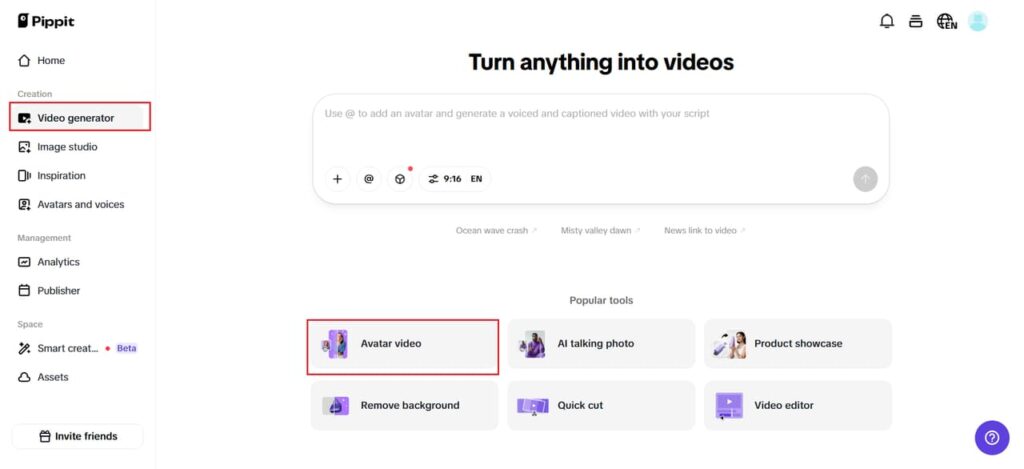
Sign in to Pippit and from the menu on the left side of the screen, press the Video generator button. From Popular tools tab, select Avatar Video to choose or produce your AI avatar.
This tool helps synchronize voice overs with avatars without any additional effort. You have a variety of styles of avatars to choose from: friendly teacher, funny animals, explorer, narrator or fantastical character.
Step 2: Lip sync with your script
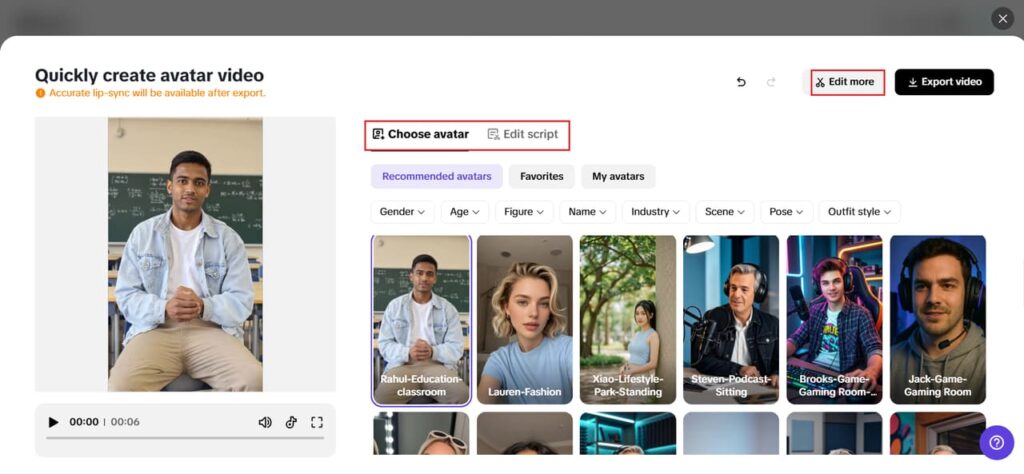
After selecting avatar tools, pick an appropriate avatar from the Recommended avatars tab. You can filter the list by gender, age, industry and other important details.
Then press Edit script to personalize the text your avatar will say. You can type the script for your lesson, story narration or vocab practice. Your avatar will lip sync your script in many different languages!
And as an extra bonus, go to Change caption style tab and add colorful captions to help children learn better!
 Step 3: Share your video
After syncing, select Edit more to fine-tune the finished video. Adjust time, pacing, or expressions for better engagement.
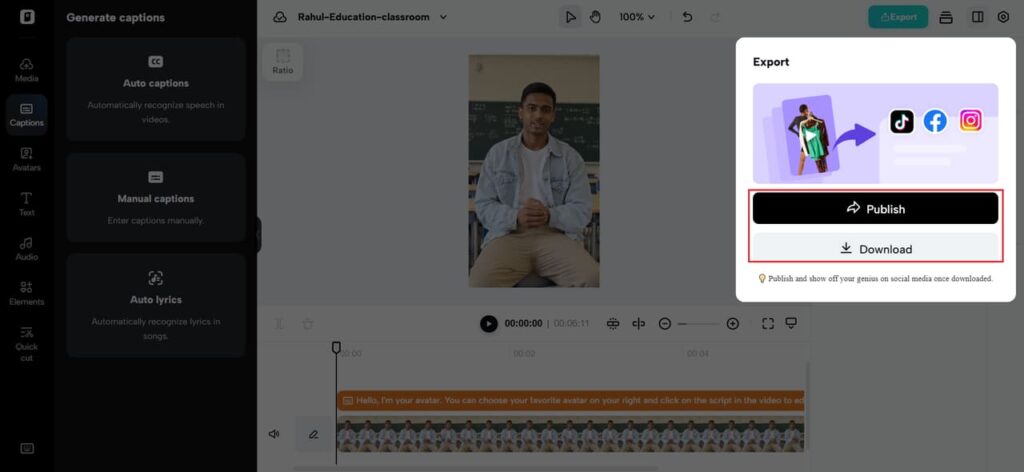
You may also include text overlays, sounds, lesson questions, or background music. Once done, press Export for your chosen file type.
Take advantage of the Publisher option by sharing directly to TikTok, Instagram, or Facebook, or scheduling posts for a future date. Or upload to educational software or classroom applications. Then analyze the Analytics area for feedback on how well you engage your audience and learn how to make better lessons.
 Content ideas to kickstart your week
Looking for ideas right away? Here are some suggestions.
Alphabet series
Cover one letter per video, including related words, sounds, and objects.
Counting treasure hunt
Learn counting through interactive adventures and rewards.
Science in 60 seconds
Teach concepts like rainbows, magnets, creatures, and plant life.
Feelings & kindness club
Teach kids how to identify emotions and social skills.
Bedtime stories for learners
Combine stories with new words and moral values.
Why animated characters teach better than simple slides
Kids get attached to characters naturally.
When they see a friendly face every single time, the whole experience is familiar and comfortable for them.
It makes everything more consistent.
Rather than fighting against them, children start looking forward to the new episode.
This is because they will always remember things easier, especially when they were told by the friendly animated characters.
They feel like they want to come back to that content.
Useful for everyone
Animated educational materials are not limited to just classes.
The material can be used in:
-
Home learning
-
Revising lessons
-
Awareness campaigns for brands (child-friendly)
-
Onboarding kids’ apps and websites,
If done right, kid-friendly animation is quite valuable to anyone involved.
Bring Pippit to create nimated kids’ lessons
Every kid deserves education that works with, not against, their imagination.
When they find it fun, it’s much more natural to learn from it.
With Pippit, you can create animated talking characters out of your scripts quickly and easily without going through long animation processes.
Start working with us now!
Be the first to comment