Tag: Online Security

  • For 20 paisa each, bank data of 1-cr Indians was up for sale

    For 20 paisa each, bank data of 1-cr Indians was up for sale

    NEW DELHI (TIP): The bank account data of one crore Indians was up for sale. And it was dirt cheap at 10 or 20 paisa per individual, police investigations have revealed.

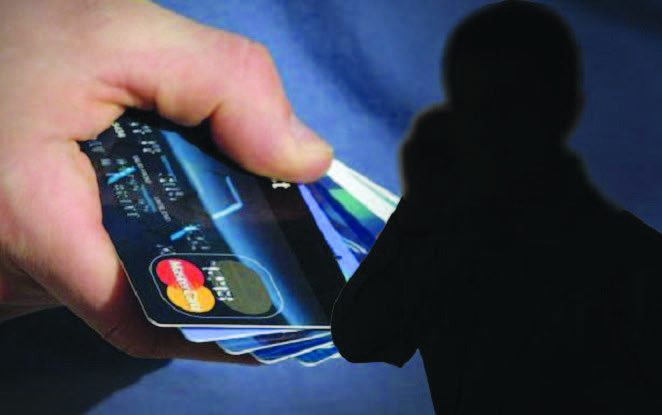
    Probing the case of an 80-year-old woman from Greater Kailash in south Delhi, who had lost Rs 1.46 lakh from her credit card, the cops have busted the module which stole data from insiders in banks, call centres and authorized firms, and sold it to crooks.

    What is shocking is that the arrest of a key player in the trade has led the cops to recover stolen data of one crore people, claimed DCP (south east) Romil Baaniya.

    The data, comprising card number, card holder name, date of birth and mobile number, is in several categories and runs into more than 20 gigabytes. Most sought after data is of senior citizens bank details, police said.

    The arrested person, Puran Gupta, a resident of Pandav Nagar, has claimed that he usually sold bulk data of around 50,000 people for anything between Rs 10,000-20,000. The accused is said to have bought the data from a Mumbai-based supplier. Raids are being conducted to arrest him.

    The crooks used this data by posing as bank representatives and convinced people into sharing details such as the CVV number and OTP, and used these to withdraw money.

    As the crooks were already armed with details such as the person’s name and card number, many of their targets fall into the trap and ended up furnishing their passwords.

  • Google vows fix for ‘inappropriate’ search results

    Google vows fix for ‘inappropriate’ search results

    WASHINGTON (TIP): Google said on Monday that it was working to fix a search algorithm glitch that produced “inappropriate and misleading” results from its search engine and connected speaker.

    The internet giant reacted after a blog post highlighted unsubstantiated search results indicating former president Barack Obama was planning a “coup d’etat’ and that four former US presidents were members of the Ku Klux Klan.

    The weekend post from Search Engine Land editor Danny Sullivan found Google delivered “terribly wrong” answers to some queries in its “one true answer” box at the top of search results and in queries to its Google Home speaker.

    “The problematic examples I review don’t appear to have been deliberate attempts,” Sullivan wrote. “Rather, they seem to be the result of Google’s algorithms and machine learning making bad selections.”

    Sullivan said when he asked the speaker if US Republicans were the same as Nazis, it answered in the affirmative.

    Similarly, he cited an example in which Google’s search engine listed four former US presidents as “active and known” KKK members, even though there has been no conclusive historical evidence supporting that.

    The news comes amid a growing controversy over “fake news” circulating online via Google or Facebook, and efforts by the internet giants to weed out hoaxes and misinformation.

    In a statement to AFP, Google said its boxed results at the top of a search query, known as “featured snippets,” are based on an algorithmic formula.

    “Unfortunately, there are instances when we feature a site with inappropriate or misleading content,” Google’s statement said.

    “When we are alerted to a featured snippet that violates our policies, we work quickly to remove them, which we have done in this instance. We apologize for any offense this may have caused.”

    Google also noted it includes a “feedback” link under these snippets that can allow the search giant to flag or remove inappropriate content.

  • Websites of 7 Indian missions in Europe and Africa hacked

    Websites of 7 Indian missions in Europe and Africa hacked

    London/New Delhi, Nov 7 (PTI) Websites of seven Indian missions in Europe and Africa were hacked today with the External Affairs Ministry saying it was aware of the “problem” and was trying to fix it.

    Romania was one of the seven countries where Indian mission websites were hacked.

    Though it was not immediately known which were the other countries where Indian mission websites had been hacked but the Embassies targeted were in Europe and Africa.

    “We are aware of the problem and are trying to fix it,” External Affairs Ministry Spokesperson Vikas Swarup said in New Delhi when asked about the incident.

  • FACEBOOK LAUNCHES REVAMPED SAFETY CENTRE TO TACKLE BULLYING

    FACEBOOK LAUNCHES REVAMPED SAFETY CENTRE TO TACKLE BULLYING

    Social network company Facebook on Monday launched its revamped safety centre to help users tackle issues of online bullying, hacking and other cyber frauds.

    “We believe safety is a conversation and a shared responsibility among all of us. That’s why we provide the information, tools and resources you’ll find here,” a post on the revamped safety centre, called Family Center, reads.

    Facebook, which has an active user base of 155 million in India, also said that the Safety Center will be available in over 50 languages including Hindi and can be accessed via a smartphone, desktop or tablet.

    “The Facebook Safety Center includes easy to follow videos to help people understand the tools we offer to control their experience on Facebook, as well as numerous tips and resources for safe and secure sharing,” Facebook said in a statement adding that the update “also makes available Facebook’s Bullying Prevention Hub to everyone across the world. The Hub is a resource for teens, parents and educators seeking guidance on how to prevent and address bullying”.

    The Prevention Hub was developed with the Yale Center for Emotional Intelligence in 2013 and Facebook says that it is already working with nearly 60 partners around the world.

    Facebook claims that the website has lot more details to keep your account safe but here are some tips that Facebook suggests to keep your social media account safe:

    Lock down your login

    Login approvals (or two-step verification) are the best and easiest way to keep your Facebook account from getting hacked. When you log in from a new computer, phone, or web browser, you’ll enter a code that you get on your phone to help make sure it’s really you.

    How to do it? To turn on login approvals, go to “More” and tap “Settings.” From there, select Security Settings, and check the box next to “Login Approvals.”

    Let us know when you see something that shouldn’t be on Facebook

    If you see something abusive or harmful that you think should not be on Facebook, you can report it to us by clicking the report link (typically an upside down arrow in the top right of a post). Our global team works 24 hours a day and 7 days a week to review things that you report and remove anything that violates our community standards. We don’t include any information about the person who filed the report when we reach out to the person who posted it. If you’ve reported something, you have the option to check the status of your report from your Support Inbox. Keep in mind that only you can see your Support Inbox.

    Understand who you’re sharing with

    Whenever you update your status, share photos or post anything on Facebook, you can select who sees what you share by using the Audience Selector tool. You can choose to share with everyone, just your friends or even a customized audience. When you create a customized audience, you can selectively share with, or hide something from, specific people. You also can change the audience for a post after you’ve shared it. To change the audience for something you’ve posted, tap the top right of the post to edit the post’s privacy setting and select a new audience. Remember, when you post something on another person’s profile, that person controls who can view the post. Additionally, anyone who gets tagged in a post may see it, along with their friends.

    Check who can tag you in posts

    When it comes to tagging, you can review the content you’re tagged in on Facebook. Tag review lets you approve or dismiss tags that your friends may add to your posts. When you turn this option on, a tag that someone else adds to your post will not appear until you approve it. We also offer timeline review. Timeline review lets you choose whether posts you’re tagged in appear on your Timeline. When you turn this option on, posts you’re tagged in will not appear on your Timeline until you approve them.To turn on tag review or timeline review, tap the icon with three lines, and then tap Settings, then Account Settings and select Timeline and Tagging. From here you can manage everything from tags people add, to who can add and see things on your timeline – putting you in control of who you connect with and how you connect with them. Source: HT