
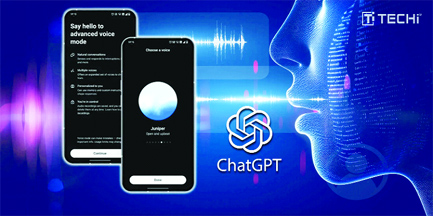

Voice chat is quite useful with AI. You can get answers to your queries without having to type long sentences or prompts. However, if you wanted to use ChatGPT Voice, things were a bit tedious. The chatbot only worked with voice mode in a separate interface from your normal chat. Now, OpenAI has introduced a major update for ChatGPT by integrating Voice mode directly into the main chat interface.
OpenAI confirmed that the feature is being rolled out to all users. It requires users to update their ChatGPT app to access the integrated voice capabilities. It is available to all smartphone and web users.
Now, users can talk to ChatGPT through Voice in the main chat itself, without the need to switch to a separate screen. Previously, ChatGPT’s voice mode required users to leave the main chat and enter a dedicated voice interface, which included limited options such as listening to responses and managing mute or video settings.
The update allows for conversations to flow more naturally, allowing users to speak, view responses, and interact with visuals all within a single window.
The integrated Voice mode supports everything that we have grown accustomed to with ChatGPT. With this update, you will be able to see images and maps as responses are generated. This is expected to streamline workflow and make interactions feel more seamless.
OpenAI wrote on X, “You can talk, watch answers appear, review earlier messages and see visuals like images or maps in real time.”
For those who prefer the older interface, OpenAI has included the option to revert to the separate voice mode. Users can do this by going into Settings, selecting Voice Mode, and turning on “Separate mode.” This restores the classic interface and layout for those who want to keep their voice and text interactions distinct.


Be the first to comment